
Disclosure: This site may use affiliate links. Product specifications should be checked against manufacturer or retailer pages before purchase.
Direct Answer
Direct answer: Choose a lineup trimmer by verifying the exact blade shape and width, line-of-sight around the teeth, factory adjustment range, compatible guards and replacement blade, corded or cordless rules, handling, cleaning, and service support. Match each claim to the model manual. Do not treat zero-gap capability, motor numbers, coatings, ratings, or “professional” labeling as proof of safer or better lines.
Lineup Trimmer Selection Table
| Check | Evidence to verify | Do not assume |
|---|---|---|
| Blade geometry | Exact T-blade or narrow-blade width, tooth relationship, and intended tasks | Wider or closer always means more control |
| Visibility | Housing shape and how much of the boundary remains visible | A skeleton or narrow body suits every grip |
| Adjustment | Factory instructions, supplied alignment tool, safe tooth offset, and stop conditions | “Zero-gap capable” means teeth should overlap |
| Power | Approved supply, corded-use rule, voltage, charge indicators, and battery service | A matching connector is electrically compatible |
| Parts | Exact blade, screws, guides, oil, guard, charger, and service route | Similar T-blades or guards interchange |
| Workflow | Grip, weight, switch, cord path, station fit, cleaning, and client boundaries | One trimmer replaces clipper, foil shaver, and every detail tool |
Define the Lineup Task First
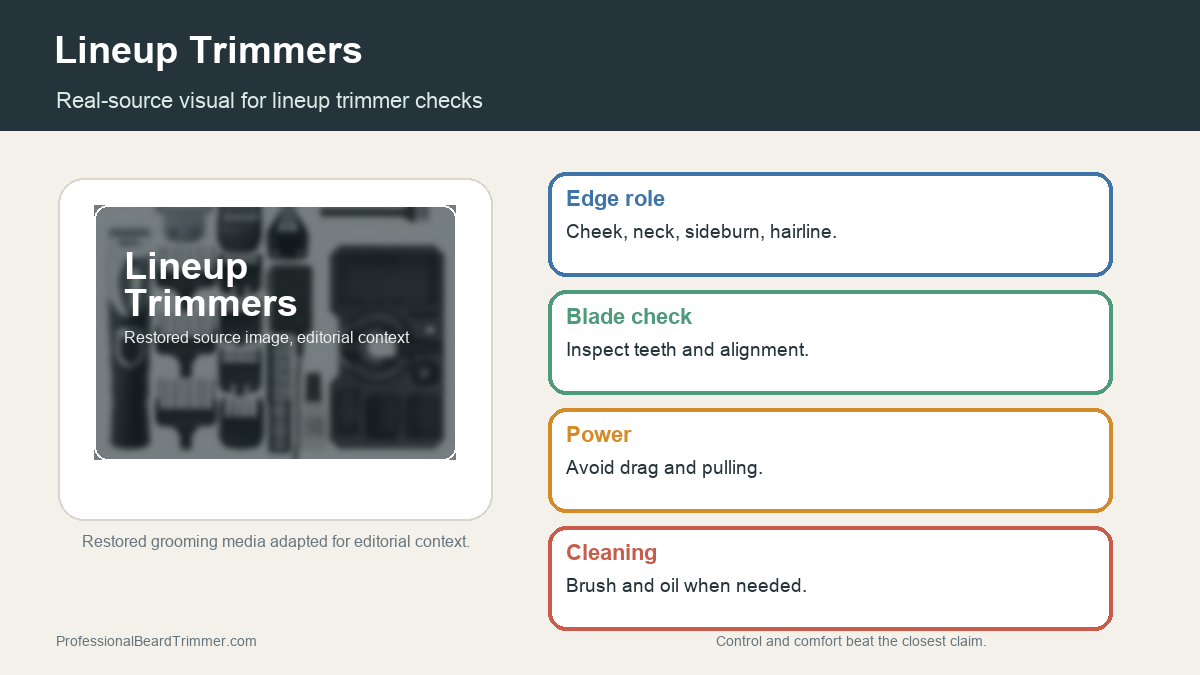
A lineup trimmer is a detail tool for outlining, edging, selected close trimming, and refining small zones after bulk hair has been managed. It may be used around a hairline, temple, ear, neckline, sideburn, beard edge, or design when the exact model and service permit. It is not automatically the right tool for reducing long hair, blending a full fade, or creating a foil-level finish.
The Andis T-Outliner product and use-and-care page documents one corded T-blade trimmer intended for detailing, edging, and dry shaving. The Wahl Professional barber-system page separates clipper blending, trimmer detailing, and foil-shaver finishing into different roles. These sources support role separation; they do not prove every product needs all three tools or performs identically.
Use the site’s trimmer, clipper, and shaver comparison to map bulk cutting, length control, detailing, and close finishing before buying another tool. A clear task definition prevents duplicate equipment and unsupported performance expectations.
Compare T-Blade, Wide T-Blade, and Narrow Designs
A T-shaped blade extends cutting teeth beyond the sides of the body, which can improve access around curves and corners. A wide T-blade covers more boundary per pass, while a narrower design may reveal more of a tight detail area. Standard, wide, and narrow labels are not universal measurements.
Confirm blade width, tooth pattern, mounting system, fixed or adjustable design, intended tasks, and replacement part number on the official page or manual. A wider head can reduce the number of placements on a long boundary but may be less convenient around a small corner. A narrow head can improve visibility but requires different placement control.
The Wahl Gold Detailer Li page documents an adjustable T-wide system, while the Wahl A-LIGN page documents a narrow T-blade designed around visibility. They are exact-model examples, not a ranking or universal proof that one blade shape is superior.
Treat Zero-Gap as a Controlled Adjustment
“Zero-gap capable” means a manufacturer permits a defined blade adjustment on a named system. It does not mean the moving teeth should project beyond the stationary teeth or that the smallest possible gap is appropriate for every user or service.
Use only the exact manual, supplied tool, compatible blade revision, and documented safe relationship. Wahl’s Pro-Set tool documentation shows why even tools from one product family can require a particular blade revision and inserted guide. A generic video or visually similar jig is not sufficient evidence.
Switch off and disconnect power before inspection or adjustment. Do not improvise spacers, grind teeth, bend a blade, or operate with loose screws. After any manufacturer-approved adjustment, verify that the moving teeth remain safely behind the stationary teeth, the blade is level and secure, and the tool runs normally away from skin.
The zero-gap trimmer checklist covers setup evidence and stop conditions in more detail. This page does not provide a universal adjustment procedure because blade geometry and tools differ.
Inspect Blade Condition and Seating
Before each service, switch off and inspect the cutting teeth in even light. Look for bends, chips, corrosion, residue, uneven spacing, loose screws, a shifted blade, or contact marks. Confirm that the blade set is level and the housing is intact.
Run the tool briefly away from the body and listen for abnormal rattle, strike, or speed change. Stop if the blade shifts, becomes unusually hot, produces a new sound or smell, or shows moving-tooth projection. Do not keep testing a questionable assembly against hair or skin.
Use the protective blade guard during storage and transport. A close-set T-blade can be damaged by loose combs, shears, cords, or other tools in a drawer or mobile case.
Verify the Replacement Blade and Guards
Search the exact model and regional suffix through the manufacturer. Record the replacement blade number, included screws or hardware, compatible trimming guides, alignment tool, oil, and blade guard. Do not order by shape alone.
The official Wahl adjustable T-shaped replacement blade page lists named compatible models and supplied hardware. The Wahl T-wide guide page likewise identifies a specific blade and trimmer family. These examples show why fit must be documented.
Check current parts availability before buying a legacy or used trimmer. A working handle is less useful when its proprietary blade, screws, guards, charger, or service path cannot be verified. Do not publish live price, stock, warranty, or longevity claims.
Assess Corded and Cordless Workflow Fit
A corded trimmer can avoid battery-cycle planning but adds cable routing and outlet dependence. A cordless model can improve movement around a client but requires charging, battery-condition monitoring, and an approved power supply. Some models permit corded operation; others do not.
Verify input voltage, output, polarity, connector, regional plug, charging stand, indicators, travel lock, and storage rule from the exact documentation. A connector that fits is not proof of electrical compatibility.
Published runtime, motor speed, or strokes-per-minute are manufacturer specifications for a named model under stated conditions. They do not prove real shop throughput, cutting power, temperature, battery health, or suitability for every hair type. Stop using a tool with a swollen battery, cracked housing, damaged cable, loose port, unusual smell, or persistent heat.
Evaluate Visibility, Grip, and Control
Inspect how the housing, blade width, hand position, and switch affect line-of-sight. A recessed neck or narrow blade can reveal a boundary from one angle, while a wide blade may provide a different reference edge. Product photographs can screen designs but cannot prove comfort or precision in your hand.
Consider hand size, preferred grip, glove use, wrist posture, weight, balance, vibration, cord pull, switch placement, and access around ears or beard corners. Use a lawful return or demonstration route where possible rather than claiming hands-on fit from specifications.
Do not equate a skeleton housing, metal body, coating, high motor number, or low weight with universal precision. Control depends on the complete tool, blade setup, maintenance, hair preparation, technique, and operator boundaries.
Keep Pressure and Passes Conservative
A close trimmer should not be pressed hard to force a sharper line. Maintain the model-approved blade orientation and use short, visible placements. Repeatedly striking the same boundary can remove more hair than intended and increase blade contact.
Prepare the service area according to the exact manual. Do not assume a washable blade makes the handle suitable for wet use. Client consent and comfort control; stop when requested or when the tool, blade, hair, or skin condition makes the service uncertain.
This page does not diagnose or promise prevention of irritation, bumps, cuts, or other skin conditions. A lineup service should be omitted or modified when an appropriate professional boundary requires it.
Build Cleaning Into Turnaround Time
Map the complete between-service process before purchase: switch off, disconnect power, remove loose hair, clean the blade and housing with approved methods, complete any applicable professional sanitation process, observe required contact and drying time, inspect, oil only as directed, and protect the blade.
Cleaning and disinfecting are different steps. Visible product ownership does not prove concentration, contact time, compatibility, drying, or protected storage. Follow applicable local rules and the manufacturer’s material limits.
The cleaning and oiling guide provides a general sequence, and the barber cleaning supplies checklist covers workstation planning. The exact lineup-trimmer manual and jurisdictional rules remain controlling.
Separate Evidence From Marketing
A manufacturer page can document blade type, width, power format, included items, compatibility, and intended category. It cannot prove your future results, daily durability, client preference, measured temperature, line sharpness, or service speed.
Reviews, ratings, awards, influencer demonstrations, and “best” lists are not controlled comparisons. Use them only to identify questions. Record official evidence by model and date, then distinguish it from later documented operating observations.
Do not call a tool tested, fastest, sharpest, coolest, safest, most precise, or best for all barbers without a defensible method and evidence. This guide makes no such claim.
Lineup Trimmer Purchase Checklist
- Define the exact outlining, edging, beard, neckline, or detail tasks.
- Separate those tasks from clipper bulk reduction and foil-shaver finishing.
- Record the exact model, regional suffix, blade type, and width.
- Verify factory adjustment limits and any required alignment tool or blade revision.
- Confirm replacement blade, screws, guards, oil, guard cap, charger, and service route.
- Check corded-use, voltage, connector, charging, battery, and storage rules.
- Assess line-of-sight, grip, switch, weight, balance, cord path, and station fit.
- Read cleaning, lubrication, water, sanitation, and blade-inspection instructions.
- Reject damaged teeth, unsafe adjustment, mismatched parts, or unsupported claims.
Frequently Asked Questions
Is a T-blade required for every lineup?
No. Blade shape is one design factor. Choose by visibility, width, safe adjustment, handling, replacement support, intended task, and the exact model instructions.
Is a wider T-blade better for lineups?
Not universally. It may cover a longer boundary per placement, while a narrow blade may offer different visibility in tight areas. Compare the complete workflow rather than width alone.
Should every lineup trimmer be zero-gapped?
No. Adjust only when the manufacturer permits it, with the correct instructions and tool. The moving teeth must not project into an unsafe relationship, and the closest setting is not always appropriate.
Can a lineup trimmer replace a foil shaver?
They serve different finishing roles. A trimmer outlines and removes selected short hair; a foil shaver may provide a closer finish on suitably prepared hair when its manual permits.
Sources and Claim Boundary
Primary references reviewed in July 2026 are the Andis T-Outliner page and the Wahl Detailer, A-LIGN, Pro-Set, replacement-blade, guide, and barber-system pages linked above. Exact-model pages do not prove cross-model compatibility or universal results. This is a non-ranking selection and maintenance guide. It reports no hands-on testing, measured precision, temperature, speed, runtime, durability, comfort, current price, stock, rating, warranty, or service availability.
